

Features
Products
Use Cases
About Us
EN언어 선택 화살표
Features

Application Management

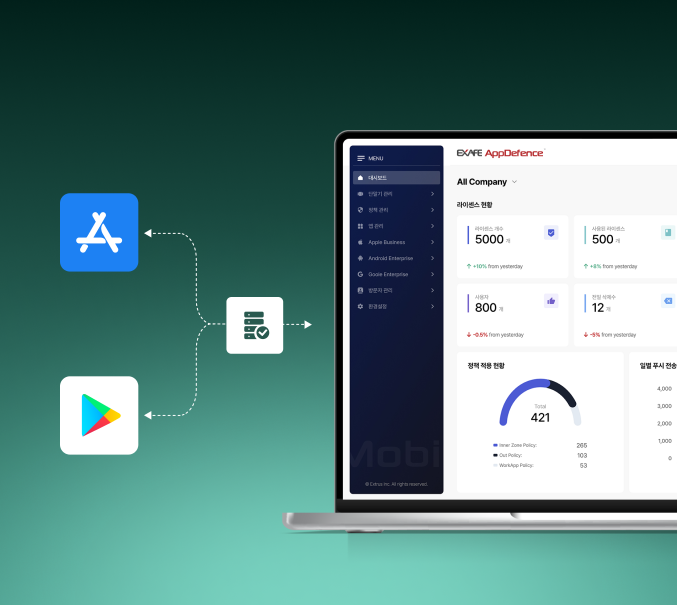
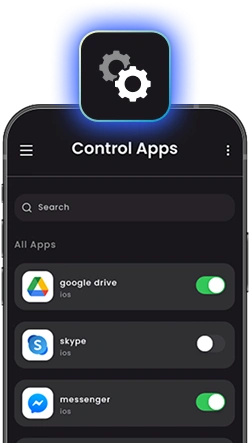
Manage app installation, updates, and usage permissions through policy control. Prevent unauthorized apps and enforce a secure application environment.intro visual

Manage Apps Securely and Efficiently

App Install / Delete

Keep Business Apps Under Control

Prevent unauthorized apps from putting your business at risk. Allow only approved apps while protecting essential business apps from removal.

  • Block app installs from Google Play and the App Store
  • Prevent removal of required business apps
  • Block sideloading from APKs and other external sources
Private App Store

Your Enterprise App Store — Authorized Apps Only

Provide a dedicated app store with only IT-approved applications. Employees install apps as usual, while IT manages approved apps, versions, and updates from one place.

  • Branded enterprise app store
  • Centralized app version and update management
  • Department-specific app catalogs
Your Enterprise App Store — Authorized Apps Only
Automatic App Deployment

Apps Ready from Day One

As soon as a device is enrolled, the right apps are automatically installed based on the user's role and department—no manual setup required.

  • Role-based app deployment
  • Automatic app updates
  • Real-time deployment status
Apps Ready from Day One
App Whitelist / Blacklist

Control Apps with “Allow-lists” or “Block-lists”

Choose the app control policy that fits your security needs. Use an whitelist for maximum protection or a blacklist for greater flexibility.

Whitelist
  • Block all unapproved apps
  • Ideal for high-security environments
  • Recommended for defense, finance, and government
Blacklist
  • Block only specified apps
  • Greater user flexibility
  • Ideal for BYOD environments
App Installation / Deletion Restrictions

Ensure only approved apps are used.
Block what you don’t trust.

Prevent unauthorized app installations or removals to maintain device consistency and security. Ensure essential applications remain untouched by locking deletion and restricting access to third-party app stores. This policy reduces attack surfaces and ensures your workforce only uses the tools they truly need.

App installs and removals are controlled by the approved app list
App Whitelist / Blacklist Management

Only What’s Trusted. Everything Else? Blocked.

Keep your device environment clean and compliant with automated app approval policies. Only whitelisted apps are allowed to install or run, while blacklisted apps are blocked from use entirely. This proactive control minimizes shadow IT risks and ensures operational focus.

Feature visual

Know more Use Case?

Learn how our solution serves each field effectively.

Learn More About Exafe Series